

Modern Apps, Legacy Data: Why Not Both?
This article is also published on Medium: https://medium.com/@carlesz/breathing-new-life-into-legacy-systems-connecting-ibm-informix-to-mendix-ddad43621471
In a world where agility and modernization are key to staying competitive, companies are often faced with a tough question:
“What do we do with our legacy systems?”
Rather than throwing them away, what if you could build sleek, responsive, multi-device apps that talk directly to your legacy data — while still keeping the core system intact?
In this article, I’ll show you how to connect an IBM Informix database running in Docker with a Mendix low-code application. This simple integration opens the door to building modern interfaces, custom dashboards, and new business functionality, all while leveraging your existing infrastructure.
🧩 Why Informix + Mendix?
IBM Informix is a robust and reliable database that’s still deeply embedded in many industries — from logistics to manufacturing and government systems.
On the other hand, Mendix allows developers (and non-developers) to build full-fledged applications with minimal effort, supporting web and mobile from a single platform.
By connecting the two, you can:
- 🚀 Deliver modern user experiences without replacing core systems
- 🔄 Gradually migrate legacy functionality instead of big-bang rewrites
- 📱 Enable access to legacy data from any device
- 🧩 Create new use cases (e.g., dashboards, portals, admin panels)
- 📱Re-skill legacy Informix 4GL to Mendix. They will love it! 😍
🛠️ What We’ll Build
We’ll walk through how to:
- Run an IBM Informix database inside a Docker container
- Configure the JDBC connection
- Connect your Mendix app to the Informix database
- Avoid common pitfalls and ensure smooth communication
🐳 Step 1: Run Informix in Docker
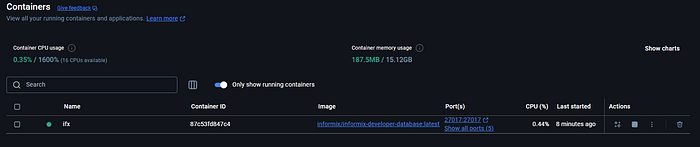
docker run -it --name informix \
  -e LICENSE=accept \
  -e INFORMIX_PASSWORD=MySecurePassword123 \
  -p 9088:9088 -p 9089:9089 \
  ibmcom/informix-developer-database
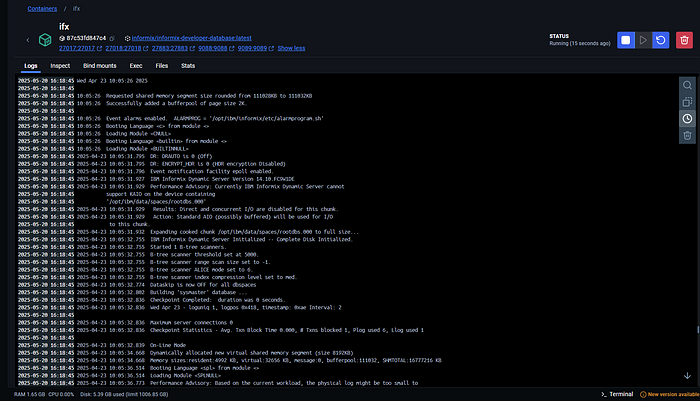
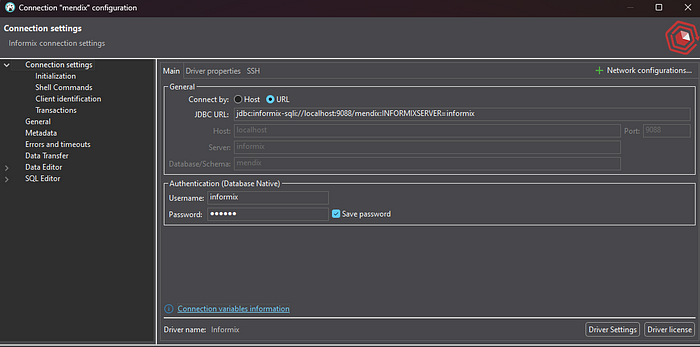
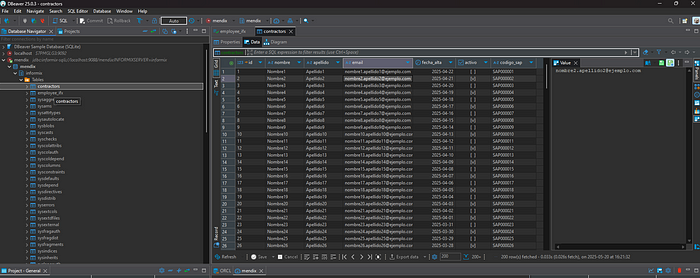
This will expose Informix ports and set a password for the informix user. You can later connect via tools like DBeaver, RazorSQL, or dbaccess from within the container. Example using DBeaver, chech the connection string and check master user/password from the informix running log.
🔗 Step 2: Prepare the JDBC Driver
- Download the Informix JDBC driver (
ifxjdbc.jar) from IBM (choose from here the right Informix release https://www.ibm.com/docs/en/informix-servers/12.10.0?topic=driver-files-in-informix-jdbc) - Place the
.jarin your Mendix project’suserlibfolder - Restart Mendix Studio Pro or F5 to syncronize the userlib and vendorlib folders
⚙️ Step 3: Set Up the Connection in Mendix
- Add the External Database Connector (latest one) module from the Marketplace: https://marketplace.mendix.com/link/component/219862
- Add a new Database Connection document and as a Database Type choose “Other”
- Fill in the form and use as JDBC URL (in my case)
jdbc:informix-sqli://localhost:9088/mendix:INFORMIXSERVER=informix
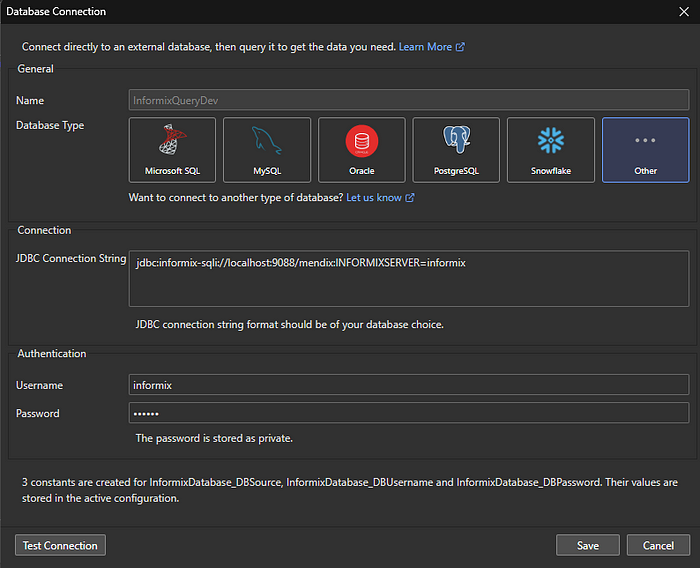
⚙️ Step 4: Set Up the SQL statement in Mendix document activity
Build & Run & Save your SQL statement to be use later on a microflow
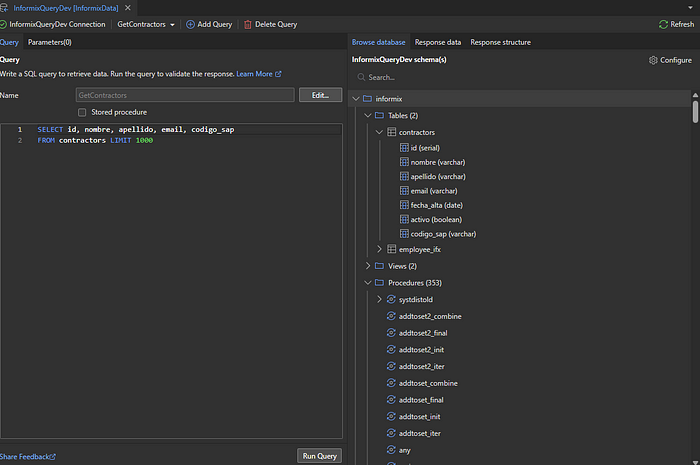
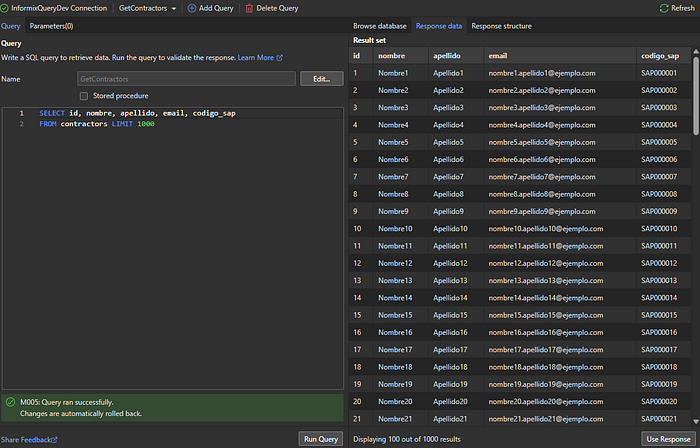
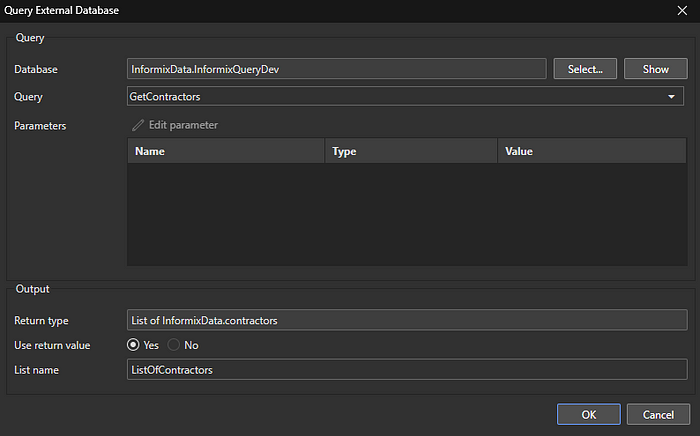
⚙️ Step 5: Build your microflow to Query the external database SQL using the MF Action
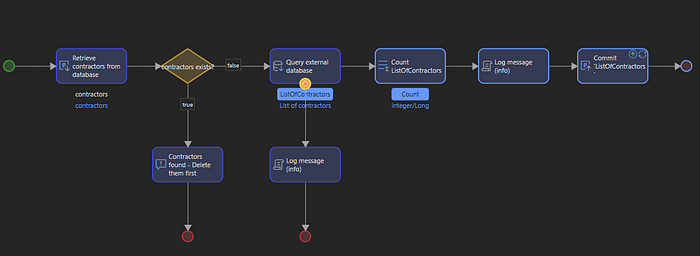
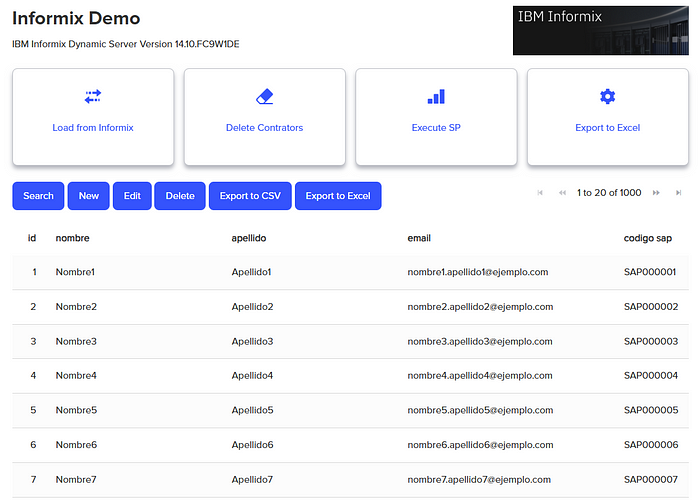
⚙️ Generate a quick Mendix page to validate
⚠️ Tips & Gotchas
- Ports: Make sure Docker exposes 9088 (SQLI) and 9089 (DRDA)
- Firewall: Allow traffic as needed
- Compatibility: Match JDBC version with Informix
- Permissions: Ensure user access (either on the Informix table owner and Mendix user RBAC rights.
- Data Types: Some may need special handling and/or use standard SQL datatypes.
🧠 Real-World Use Cases
- Dashboards for legacy data
- Web/mobile interfaces for internal/external users
- Bridge system during migration or refactoring from old Informix 4GL to Mendix
- Modern UIs on stable backends
🎯 Conclusion: Modern Frontend, Legacy Power
You don’t need to choose between modernization and stability. By connecting Mendix to Informix, you get the best of both worlds!
 Carles Zaragoza's Blog - Let's chat about Low-Code, IOT, BigData, ML & another IT trends